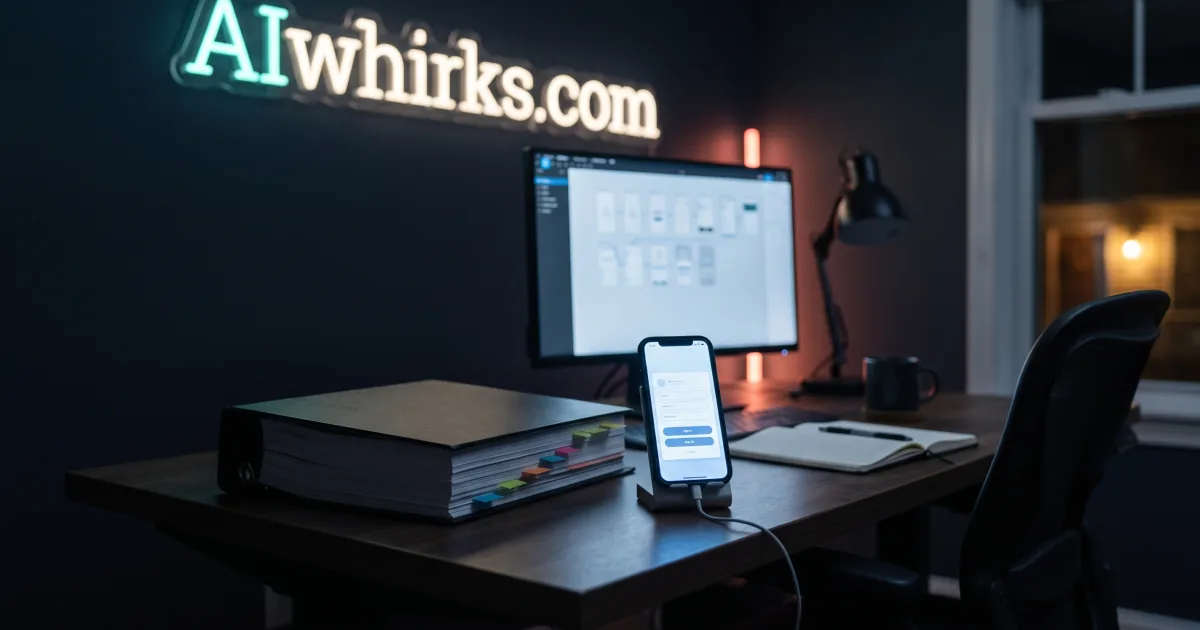
A clickable prototype is a working model of your web app’s real screens, filled with sample data, that you can tap through on your phone before anyone writes production code. You sign in as a customer, an employee, or an admin, click around, and find out whether the app does what you meant while changing it still costs almost nothing.
That matters because the most expensive moment in a custom software project is the first time you see it. In the traditional process, that moment arrives weeks or months in, after the budget is committed and the code is written. If it is not what you pictured, every fix is paid for twice. A prototype moves that moment to the start of the project, which is the only place it is cheap.
Why do custom web apps end up not matching what you meant?
Custom web apps miss because the plan is written in words, and words leave room for two people to picture two different products. You describe what you need, someone writes a specification, you read it and sign off, and both of you walk away certain you agreed. Nobody finds out you did not until there is something on a screen.
This is not a rare failure. In a survey of more than 2,000 project professionals, the Project Management Institute found that nearly half of unsuccessful projects missed their goals because of inaccurate requirements management. The problem was not bad engineering. It was a misunderstanding about what to build, baked in on day one.
Here is how it usually plays out. The spec says “customers can manage their account.” To you, that means changing their plan, adding a second user, and downloading last year’s invoices. To the developer, it means updating an email address. Both readings are reasonable. One of them is about three weeks of extra work, and nobody finds out which until a demo, when someone says the sentence every owner dreads saying: that is not what I meant.
From there the costs stack up:
- Rework. Screens and the data behind them get rebuilt, and you pay for the same feature twice.
- Scope creep. Things everyone assumed were included turn out not to be, so the scope grows after the price was set.
- Delay. Each correction pushes the launch, and the problem you hired someone to solve keeps costing you in the meantime.
- Lost trust. By the third “that’s not what I meant,” both sides start reading the contract instead of building the product.
The timing is what makes it so expensive. Jakob Nielsen, the usability researcher who co-founded Nielsen Norman Group, cites the common estimate that a change made before any code is written costs around a hundredth of the same change made after the software is finished. The exact multiple is an estimate rather than a measurement. The direction is not in dispute by anyone who has ever paid for a rebuild.
What is a clickable prototype, exactly?
A clickable prototype is a set of realistic screens, linked together so they behave like the finished app, filled with sample data that looks like yours. You can open it in a browser or on your phone, sign in, tap buttons, open records, and move through a whole task from start to finish. It looks and feels like the real product. It just does not save anything.
It helps to be clear about what it is not:
- It is not a wireframe. Wireframes are grey boxes that show where things go on one screen. A prototype shows how the whole app works.
- It is not a design mockup. A mockup is a picture of a screen. You can look at it, but you cannot use it.
- It is not the finished app. There is no real database, no real accounts, and no real payments. That is the point. You are testing the idea and the workflow before paying for the expensive parts underneath.
The detail that changes the most conversations is the one-click sign-in for each kind of user. Most business apps serve more than one audience. A membership portal has families, club admins, and regional leaders. A field service tool has customers, technicians, and dispatchers. Each group needs different screens. In a prototype, each group gets its own sign-in button, so the people who will actually use each side of the app can test it themselves instead of trusting you to imagine it for them.
How does a clickable prototype compare to a spec, wireframes, or mockups?
A clickable prototype is the only one of the four that lets you use the product instead of picturing it. Specs, wireframes, and mockups each describe part of the app. A prototype demonstrates the whole flow, which is where most misunderstandings hide.
| What you review | Written spec | Wireframes | Static mockups | Clickable prototype |
|---|---|---|---|---|
| What you actually see | Pages of text | Grey layout boxes | Finished-looking pictures of single screens | Finished-looking screens you can tap through |
| Who can judge it | People who read specs for a living | Designers and developers | Anyone, for looks only | Anyone, including your customers and staff |
| Shows how one screen leads to the next | No, you imagine it | Sometimes, as arrows on a diagram | No | Yes, you click through it |
| Catches missing steps in a workflow | Rarely | Sometimes | Rarely | Usually, in the first session |
| Each kind of user tests their own side | No | No | No | Yes, with a sign-in per role |
| Works on your phone | As a document | No | As images | Yes, like a real app |
| Becomes the target the build is checked against | In theory, but open to interpretation | Partly | For visuals only | Yes, screen by screen |
None of the first three are useless. Specs still capture rules the screens cannot show, like what happens when a payment fails. But they are documents you have to interpret, and interpretation is exactly where the expensive misunderstandings come from.
Why didn’t every developer do this already?
Developers did not always prototype because a realistic, clickable prototype used to cost almost as much to make as a first version of the app. It took a designer to draw every screen and a front-end developer to wire them together, and most small business budgets could not carry that before the real work even started. So the industry settled for documents and hoped for the best.
AI-augmented development changed the math. I have spent more than 25 years building software, and today I direct a set of specialized AI agents that handle a large share of the screen-building work. The judgment calls are still mine: what the app should do, how the data fits together, and what each kind of user needs to see. The labor of turning those decisions into dozens of linked, realistic screens is now a fraction of what it was. That is how an enterprise-style step fits a small business budget.
This is the same reason AIwhirks web app development starts every new build with a prototype. It is no longer a luxury for large projects. It is the cheapest insurance in the whole budget.
How does the prototype-first process work?
The prototype-first process puts a working model in front of you within the first stretch of the project, lets you and your team change it freely, and then freezes it as the specification for the build. Here is what that looks like in practice.
1. A short conversation about how your business actually works
We start with the nouns your business thinks in, like members, jobs, sites, or accounts, and the people who touch them. This is the same question that decides whether software holds up as it grows, covered in more depth in our post on what changes when customers need access to your internal tool.
2. A prototype with your screens, your roles, and realistic sample data
You get a link. It opens to a sign-in screen with one button per kind of user. Behind each button are the screens that person would see, filled with sample records that look like your real ones, so the review is about your business and not about placeholder text.
3. Your team clicks through it, on their own phones
Send the link to a customer you trust, to your office manager, and to whoever runs operations. Each of them signs in as themselves and tries the tasks they do every week. Their reactions, especially the confused ones, are the most valuable feedback in the entire project.
4. Changes happen while they are still cheap
Moving a button, splitting one screen into two, or adding a step that everyone forgot about takes minutes or hours at this stage. The same change after the build can take days, because by then it touches the database, the permissions, and the tests.
5. You sign off, and the prototype becomes the spec
Once you approve it, the prototype is the target. Every milestone of the build is checked against it, screen by screen, so what ships matches what you clicked through. If you want to know what happens after the build, our web app launch checklist covers the steps between finished code and real users.
What should you look for when you click through a prototype?
Look for the tasks you do every week, not the features you were most excited about. A prototype review works best when each person runs through their real routine and says out loud what they expected to happen at each step.
A practical checklist for your first session:
- Sign in as every role. Check that each kind of user sees what they need and nothing they should not.
- Run your three most common tasks. If a weekly task takes more than a few taps, say so now.
- Try the awkward case. The customer with two locations, the refund, the order that changes after it is placed.
- Check the data you would actually have. If a screen asks for information your team never collects, that screen is wrong.
- Notice what is missing. The report you print every Friday, the export your accountant needs, the field for internal notes.
- Use it on your phone. If your team works in the field, the phone version is the real version.
Write down every “I expected it to…” moment. Each one is a misunderstanding caught for the price of a conversation instead of a rebuild.
When is a clickable prototype not worth it?
A clickable prototype is not worth it when there is nothing on screen to disagree about. A simple marketing website, a back-end integration between two systems, or a small fix to software you already have does not need one. The value comes from flows and roles, so the more of both your app has, the more a prototype saves.
It is also not a replacement for experience. A prototype makes the product visible, but someone still has to decide how the data fits together underneath, and that is where long-term cost lives. If you are weighing whether an older system should be prototyped and rebuilt at all, start with our guide on whether to rebuild or modernize software that still works.
Can I try a real clickable prototype?
Yes. We keep working examples on our prototypes page that you can open in a browser right now, with sample data and a one-click sign-in for each kind of user. Nothing you enter is saved, so click anything.
The membership portal there is a good place to start. Sign in as a parent and renew a family for next season, then sign in as a club admin and filter the member roster. Notice how quickly you form opinions about it. That speed is the whole idea. Five minutes with a working prototype tells you more than an hour with a spec, and it tells your customers and staff the same thing.
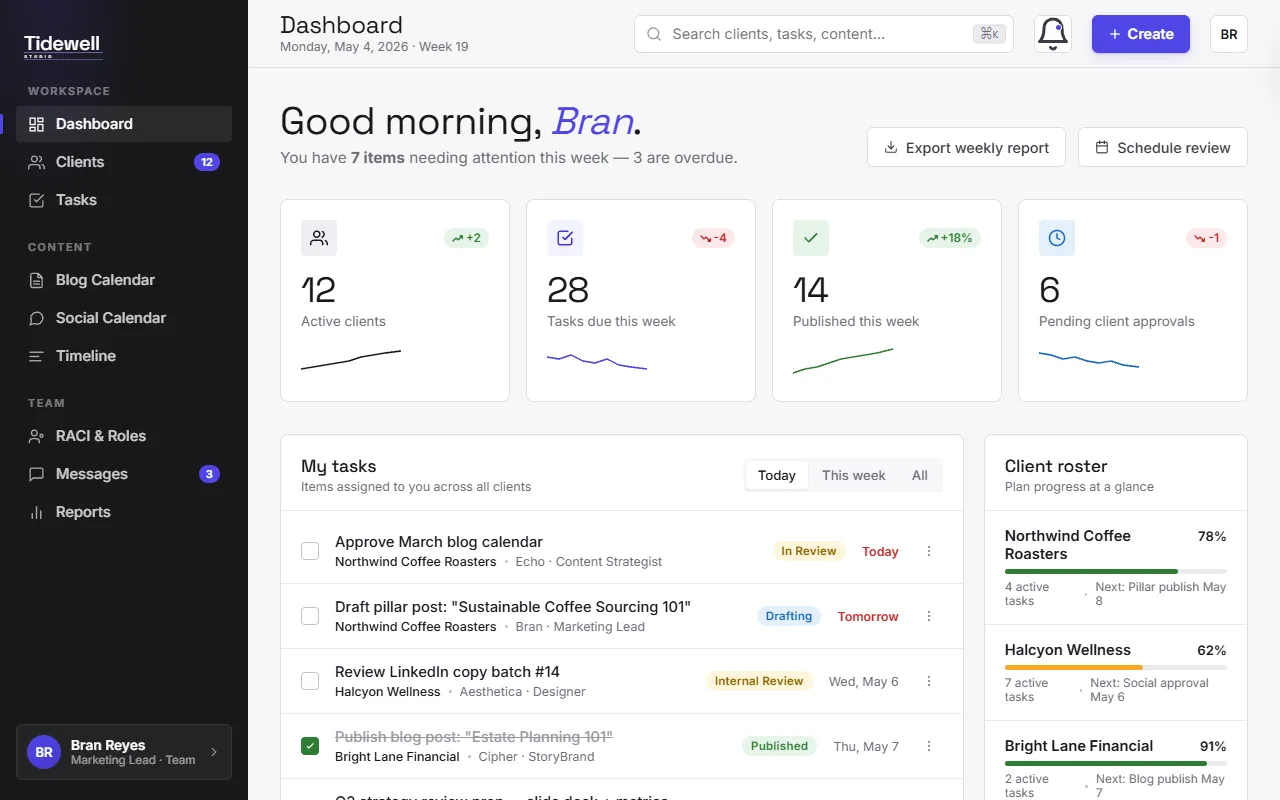
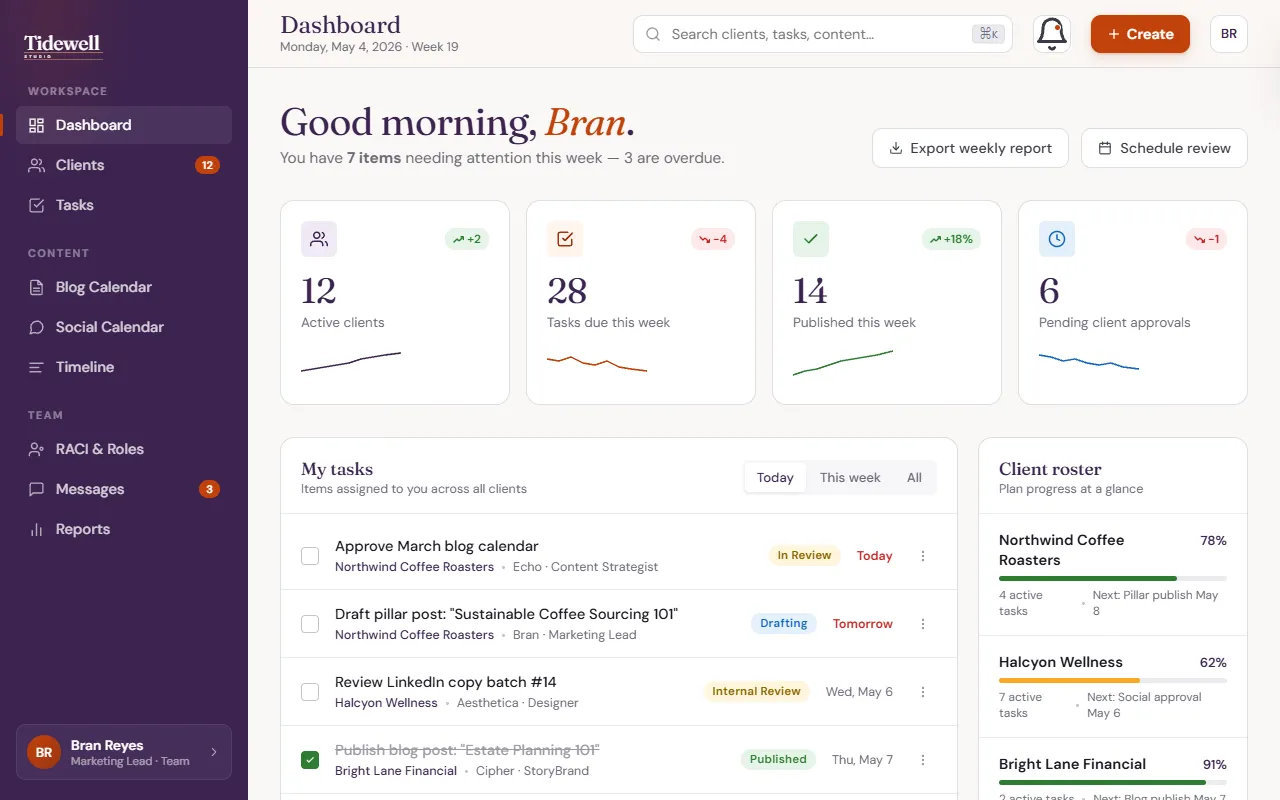
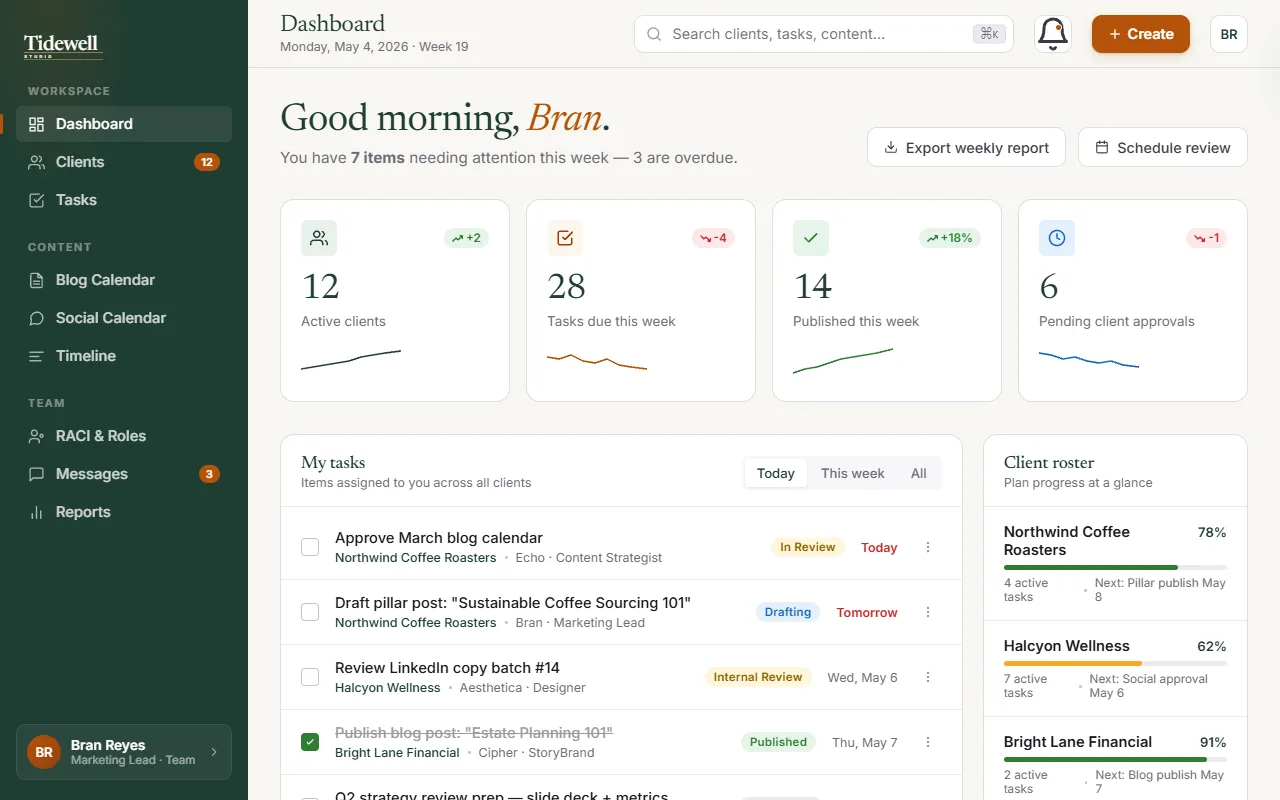
The marketing agency workspace, Tidewell Studio, shows the other half of the idea: the look. A bar at the top of the demo switches the whole app between three themes, and every screen changes with it. Its sample theme sheet is what you would get on your own project, with each option’s colors and their codes, the fonts, and the real screens wearing them. Choosing a look at the prototype stage takes minutes. Changing it after launch means revisiting every screen.
Next step: see your app before you pay to build it
If you have a web app in mind, the first thing you should see is your app, not a proposal. Tell me in a sentence or two what it needs to do and who will use it. If it is a fit, a clickable prototype of your real screens is usually the first deliverable, so you know exactly what you are paying for before the build begins.
See how AIwhirks web app development starts with a prototype →